![Portland Map Pin Disappeared? 3 Quick Fixes That Work [2026]](https://portlandlocalseo.com/wp-content/uploads/2026/01/Portland-Map-Pin-Disappeared-3-Quick-Fixes-That-Work-2026.jpeg)
I remember the sinking feeling when I noticed my business pin was missing from Google Maps right at the height of Portland’s busy season. One day, everything seemed fine—customers found me, reviews kept rolling in—and the next, my map listing vanished without a trace. It felt like my digital presence was slipping away, and honestly, I was frustrated. Has that ever happened to you? If you’ve relied on Google Maps and suddenly found your pin disappeared, you’re not alone. That moment of uncertainty can feel like a punch to the gut, especially when your local visibility takes a hit.
Why Your Portland Map Pin Disappears and How to Fix It Fast
Understanding why your map pin vanishes isn’t always straightforward. Sometimes, it’s due to simple glitches, outdated information, or even conflicting listings. I learned early on that these hiccups are often fixable with quick, targeted actions. In this post, I’ll share three straightforward fixes that I’ve personally tested and proven effective—so you won’t have to wrestle with lost visibility any longer.
Is Your Map Disappearance Really Worth the Stress?
When I first faced this issue, I thought my only option was to wait for Google to restore my listing, which felt like forever. But I quickly realized that many of these problems are solvable with just a few tweaks. A common mistake I made early on was assuming all issues required complex solutions. Small errors, like inconsistent NAP (Name, Address, Phone number) info or unverified listings, can cause major visibility drops. The good news? These are fixable—and you can do it yourself with the right guidance. For more detail on how to navigate these challenges, check out [this comprehensive guide on Oregon maps optimization](https://portlandlocalseo.com/mastering-oregon-maps-optimization-for-better-search-rankings).
Now, let’s get into the foolproof fixes to restore your Portland business’s map presence swiftly.
Verify Your Google My Business Listing Details
First, double-check your Google My Business (GMB) profile information. Inaccurate or incomplete details, like an outdated address or phone number, can cause your pin to vanish. Log into your GMB dashboard, navigate to your listing, and ensure all information matches your actual business details. During my own ordeal, I realized my phone number had a typo that conflicted with other listings, which caused Google to hide my pin. Correcting this resolved the issue swiftly.
Perform a Manual Map Search and Identify Conflicts
Next, search for your business directly on Google Maps. Look for duplicate or conflicting listings—these can overshadow or hide your primary pin. Remove or report duplicates by claiming or marking them as closed. I once had a conflicting listing from a partner that was misrepresenting my location, leading to my pin not displaying properly. Resolving such conflicts involved claiming ownership and updating details. For more advanced troubleshooting, consider reviewing your Maps optimization to enhance your local visibility.
Re-verify and Optimize Your GMB Listing
Ensure your profile is fully optimized; add high-quality photos, respond to reviews, and regularly update your business hours and services. These signals tell Google that your business is active and legitimate, which helps maintain visibility. I learned this the hard way when my profile was incomplete—after updating my photos and reviews, my pin reappeared and more customers found me. For detailed strategies, explore local SEO tips.
Leverage Tools to Automate and Track Progress
Use reputable tools like local map optimization tools to monitor your listing’s health and visibility. These tools can detect issues like duplicate profiles, inconsistent data, or ranking drops. During my last campaign, I employed such tools to identify hidden conflicts, which I fixed promptly. This proactive approach saved me from losing valuable local searches.
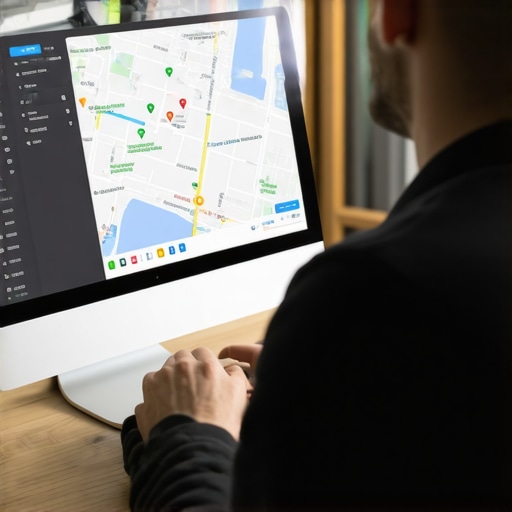 Many local business owners in Portland believe they understand what it takes to rank well on Google Maps, but several misconceptions persist that can inadvertently hurt their efforts. One prevalent myth is that simply claiming a GMB listing is enough to dominate local search results. In reality, **optimized profiles require ongoing, strategic efforts**, including reviews, high-quality photos, and consistent NAP data, to truly make an impact. Another misconception is that keyword stuffing in business descriptions boosts visibility; however, Google penalizes over-optimization, emphasizing user-centric content instead. Advanced strategies involve leveraging local links and structured data, which many overlook, yet these can significantly enhance your Portland SEO. Additionally, false beliefs about the importance of backlinks alone ignore the need for a holistic approach, combining citations, engagement, and profile optimization. To level up, consider consulting expert resources like [mastering Oregon maps optimization](https://portlandlocalseo.com/mastering-oregon-maps-optimization-for-better-search-rankings), which delve into nuanced tactics beyond basic practices. Beware of the trap where owners think that updating their profile once a year suffices; consistency and active management are key. It’s essential to recognize that Google favors businesses that engage regularly and refine their local SEO strategies over time. For tailored advice, reach out through [this contact page](https://portlandlocalseo.com/contact-us).Maintaining a robust local SEO presence in Portland requires more than just initial setup; it demands consistent monitoring, fine-tuning, and leveraging powerful tools designed specifically for local businesses. One tool I personally rely on is BrightLocal. Its comprehensive dashboard provides real-time audits of your Google My Business (GMB) profile, tracks ranking fluctuations, and uncovers duplicate listings—saving me countless hours troubleshooting visibility issues. Additionally, SEMrush’s Local SEO Tool offers deep insights into your local keyword rankings and backlink profiles, enabling targeted adjustments to stay ahead of competitors. For ongoing management, Google Search Console remains indispensable for tracking website health, indexing status, and identifying technical issues that could impede your local rankings. Incorporating a tool like Moz Local also streamlines citation management, ensuring your business information remains consistent across directories, which is critical for Portland’s competitive local landscape. As search engine algorithms evolve—especially with Google emphasizing AI-driven local search—it’s vital to adopt and adapt your toolkit accordingly. Looking ahead, I predict that integrating machine learning-powered analytics will become standard, helping businesses anticipate ranking shifts before they impact visibility. To maintain your Portland SEO efforts over time, I recommend regularly auditing your profiles using these tools, setting up automated alerts for ranking changes, and periodically reviewing your citation consistency. For example, a recent update from Google’s technical documentation emphasizes the importance of data accuracy—see their guidelines here. Finally, I challenge you to experiment with automating routine checks by integrating these tools into your workflow, such as setting up alerts in BrightLocal for any sudden drop in local rankings. Doing so ensures your business stays visible, relevant, and competitive in Portland’s dynamic local search environment. For more tailored strategies, explore this guide on Oregon maps optimization, which complements your ongoing toolset and sets a strong foundation for long-term success.
3 Surprising Truths I Discovered About Portland Map Rankings
One lightbulb moment was realizing that Google treats consistent updates and active engagement as signals for ranking, not just a set-it-and-forget-it approach. I also learned the hard way that even minor discrepancies in your business info across listings can silently sabotage your visibility—something I overlooked early on. Lastly, I found that leveraging the right tools and expert advice accelerates progress far more than trial-and-error alone, saving me precious time and frustration.
My Go-To Resources for Local SEO Growth
When I want dependable insights on Google Maps optimization, I rely on this comprehensive guide. It’s packed with actionable tactics tailored for Portland’s competitive landscape. I also trust BrightLocal for real-time audits and citation management—helping me keep my listings accurate and climb higher in local searches. For strategic keyword insights, SEMrush’s Local SEO Tool is a game-changer, uncovering opportunities I might miss otherwise. These resources form the backbone of my ongoing success in Oregon maps optimization.
Your Next Big Step Starts Now
Mastering Oregon maps optimization and local SEO isn’t just about quick wins—it’s about building a resilient, visible presence for your Portland business. Keep experimenting, stay consistent, and leverage expert tools, and you’ll find your efforts pay off in real growth. Remember, every small tweak adds up to a significant advantage in Google Maps rankings. Are you ready to take your Portland local SEO to the next level and leave competitors in the dust? Share your thoughts or challenges below—I’d love to hear about your journey.
,
![Why Your Portland Map Pin Disappeared [2026 Quick Fix]](https://portlandlocalseo.com/wp-content/uploads/2026/02/Why-Your-Portland-Map-Pin-Disappeared-2026-Quick-Fix.jpeg)
![7 Oregon Maps Optimization Fixes for Better Rankings [2026]](https://portlandlocalseo.com/wp-content/uploads/2026/01/7-Oregon-Maps-Optimization-Fixes-for-Better-Rankings-2026.jpeg)

Your post really hits home for me, especially the part about unexpected disappearances of Google Maps pins. I’ve faced similar issues during peak seasons, and at first, I thought it was just a glitch. It’s interesting how small details like inconsistent NAP data can cause such disruptions—I’ve seen my own listing toggle offline just because I overlooked a minor typo. What’s been most effective for me has been constant profile management and using reliable tools to monitor listing health regularly. I wonder, for busy Portland businesses managing multiple locations, what’s your take on automation? Do you think tools like BrightLocal or Moz Local can truly keep up without overwhelming local business owners? I’ve found that automation helps catch issues early, but I’m curious if others have strategies to balance manual updates versus automated checks for maximum efficiency. Overall, this was a great reminder that consistent upkeep and strategic use of tools are key to maintaining visibility in a competitive market like Portland.
Your post brings back memories of my own experience with Google Maps disappearing at the most inconvenient times. It’s incredibly frustrating, especially when you depend on local visibility for your business. What I’ve found helpful is maintaining very detailed and up-to-date NAP information—small typos can really throw off the algorithm. I also started using a combination of Google’s own tools and third-party monitoring apps to keep an eye on my listings proactively. One thing I’ve noticed is that regular engagement, like responding to reviews and posting updates, seems to signal activity to Google and helps keep my pin visible. I’m curious—how often do others update their GMB profiles or check for conflicting listings? Do you think automation can fully replace manual oversight, or is there still value in periodic personal checks? Would love to hear strategies from others managing multiple locations in busy areas like Portland. This kind of ongoing effort truly seems necessary to stay ahead in local search rankings.
Reading through this post really resonated with me, especially the part about how small discrepancies like typos or outdated info can severely impact your Google Maps listing. I experienced something similar last year when my storefront was temporarily invisible on the map—turns out a simple mismatch in my NAP details caused the problem. Thankfully, I managed to rectify it quickly by reviewing all my listings and ensuring consistency across platforms. It made me realize how crucial regular audits are, especially if you manage multiple locations or frequently update your services. Automation tools like BrightLocal have been a real game-changer for me; they help catch issues early before they hurt visibility. For those juggling several business profiles in Portland, what’s your go-to strategy for maintaining accuracy without feeling overwhelmed? Do you rely more on automation, or do you prefer manual checks? I’d love to hear how others keep their listings optimized in busy markets like Portland—any tips or tools you swear by?
This post really hits home, especially for small business owners in Portland like myself who rely heavily on Google Maps for visibility. I’ve noticed that even minor inconsistencies, such as a slight typo in the business name or mismatched hours, can cause the pin to disappear temporarily. I’ve started using some automation tools, like BrightLocal, to regularly audit and update my listings, and it has made a noticeable difference. I wonder, for those managing multiple locations, what’s your approach to balancing automated tools with personal oversight? Is there a risk of over-reliance on automation leading to unnoticed critical errors? Personally, I find routine manual checks still essential, especially for verifying conflicting listings or updates that automation might miss. It seems that the key is consistent engagement—responding to reviews, updating photos, and keeping information current. How do others in this busy Portland market keep their maps accurate without feeling overwhelmed? Would love to hear your strategies and experiences.